What’s New in Inventor 2027: A Guide to the Latest Features
Consultant Jason Kelly explores the new 2027 features in Autodesk Inventor Professional. Including updates to the content center and Autodesk Assistant



There are times when you may want to edit the content centre to include your own information, such as your own company part numbers for example. Our customizing content centre guides Part 1 and Part 2 will take you through this process, however how do we now update the existing content centre files that are already generated?
We can open an assembly containing the content files and refresh the standard content. 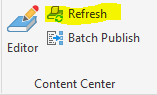
This would however only update the components in that assembly. To be sure all your component files are up to date you could create an assembly containing all the generated component files and then run the Refresh command.
It is relatively straightforward to create an assembly containing all the files. Just choose all the files in the folder when using the Place Component command and you can place them in all at one time. Alternatively find all the files in Windows Explorer and drag and drop them in. Another way to do this though could be making use of Inventor’s iLogic tools to quickly access the Vault API.
In our rule below we iterate through each subfolder to add any parts in to our currently open assembly. We make use of subroutine functions in a single rule to be able to call a function from within itself to navigate through all the nested subfolders.
This method could be used in rules for other purposes also, where you may want to pick up all files in the folder structure.
We create this as an external rule so we can use it across multiple assemblies. 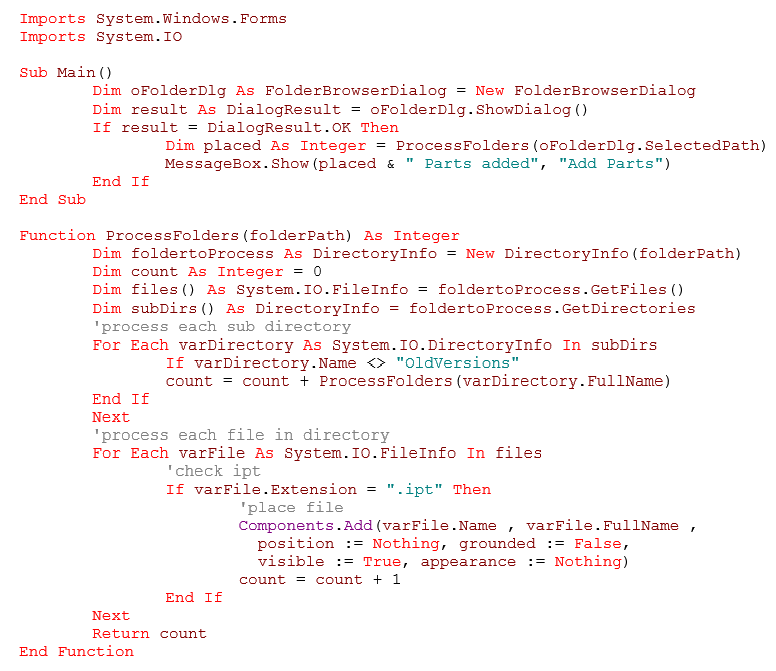
If something is not possible in the Inventor standard toolset there is always the possibility of extending the functionality with iLogic rules or custom add-in functions. Take the Symetri Toolkit for Inventor for example which adds numerous additional functions created by our team in response to user requests. We are always interested to hear from you on any additional functionality or automation that would improve your productivity.
If you are new to iLogic and want to learn more why not attend one of our iLogic training courses, now also available online. You can view our list of training courses here.
If you would like further information on iLogic, please contact us on 0345 370 1444 or email info@symetri.co.uk.
Consultant Jason Kelly explores the new 2027 features in Autodesk Inventor Professional. Including updates to the content center and Autodesk Assistant
AutoCAD 2027 introduces new tools to improve collaboration, drawing accuracy, and productivity, including Autodesk Forma data management integration, Geometry Cleanup, and the AI‑powered Autodesk Assistant. In this guide, we highlight the key AutoCAD 2027 updates and explain how they support more efficient, connected workflows for design teams.
Autodesk's 2027 release continues its focus on deepening Revit's structural capabilities, with meaningful updates across reinforced concrete, analytical modelling, and steel detailing. Here's a technical breakdown of what's changed and what it means for your workflows and productivity.