
How Company Certification Has Evolved
Ten years of BIM certification experience. Learn how ISO 19650 certification has matured, its business benefits, and when organisations are ready.

Most users have already started to embrace the new Microsoft Teams client, but for those users that have yet to make the switch for various reasons should be aware that Microsoft intend on ending support for the classic Teams client, starting 1st July 2024. They then intend on ending its availability on 1st July 2025.
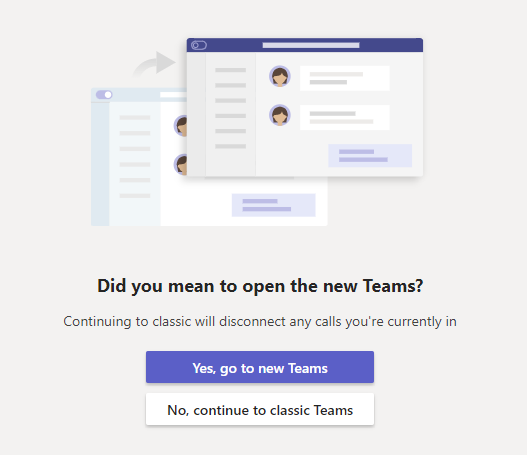
For those users who have already made the switch by simply clicking on the ‘Yes, go to new Teams’ button (as shown below), but have experienced issues with this new version of Teams, then we highly recommend that you conduct an uninstall of the classic version. Then download and install the new Microsoft Teams client from Microsoft O365 (you will need admin privileges to do this). We have found that switching to the new Microsoft Teams client this way, resolves various common reported issues.
Click below for more information on end of availability for Microsoft classic Teams client and guidance on deploying this:
Ten years of BIM certification experience. Learn how ISO 19650 certification has matured, its business benefits, and when organisations are ready.

Digital transformation is reshaping the built environment, but successful change requires more than new technology. Discover how Symetri's approach to BIM, digital delivery and organisational change has earned four nominations at the 2026 Building Innovation Awards.
If you're new to Bluebeam Max or simply want to learn more about what it can do, we've gathered answers to the questions we're asked most often.