

How Company Certification Has Evolved
Ten years of BIM certification experience. Learn how ISO 19650 certification has matured, its business benefits, and when organisations are ready.


AutoCAD 2023 has 5 new features and updates. In this blog post, our Application Specialist Geoff Alder provides an overview of these new features and updates in AutoCAD 2023.
The traces feature found on the collaborate tab is an excellent feature to monitor and log redline revisions.
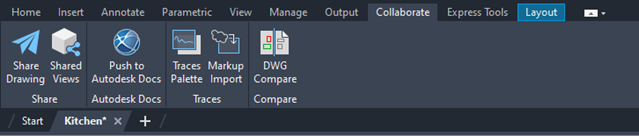
Opening the traces pallet in the first instance shows that there are no traces in the drawing.
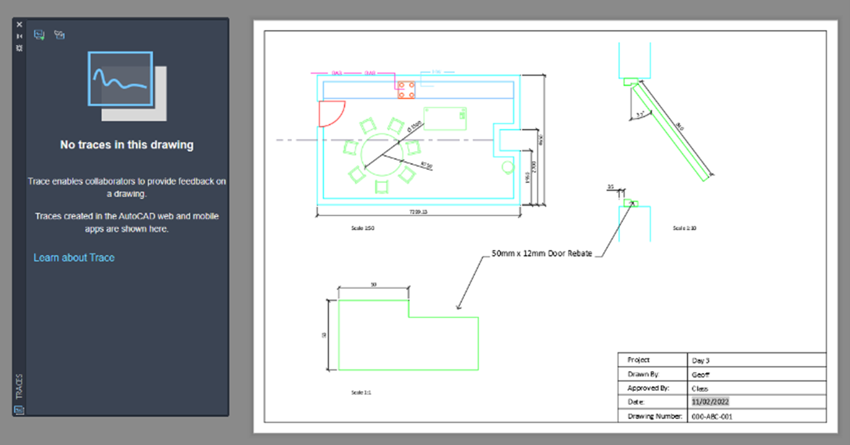
If we use the Markup Import feature, we can then overlay a red line markup. This can be an image file such as jpeg or png or a pdf file. In this example, I used a pdf of a simple redline markup of the paper space on this drawing.
Clicking on Markup Import brings up the dialogue.
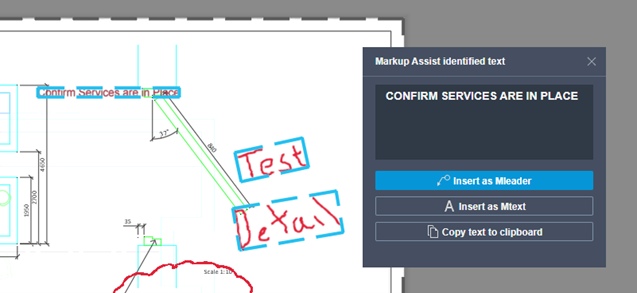
Here we can see that the Markup Import has discovered the two redline markups. One in text form and one in simple hand-sketched detail. From this we can extract the details and have them on the drawing as a markup.
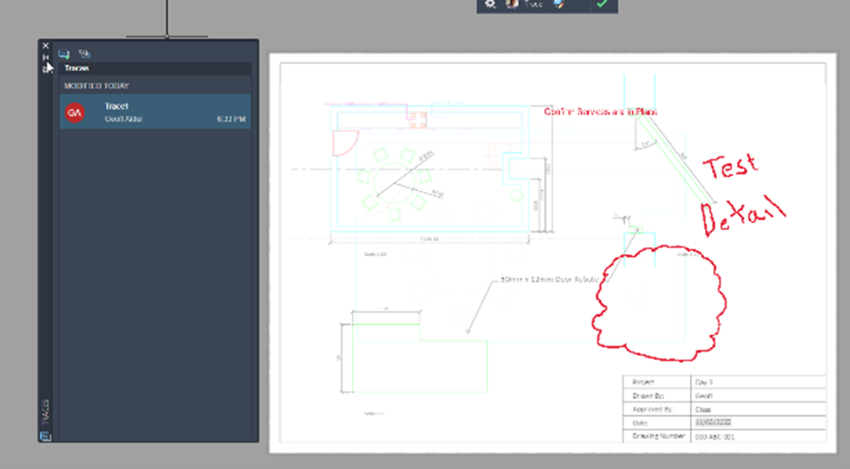
The markup is now listed in the traces pallet, providing users with a time that the redline edit was added to the drawing.
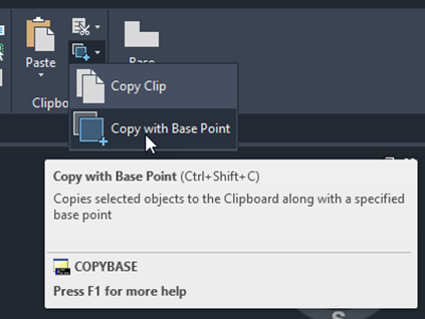
I find the copy base feature in AutoCAD 2023 very efficient in a workflow as it provides a basepoint in the first instance in the lower left extreme of geometry.
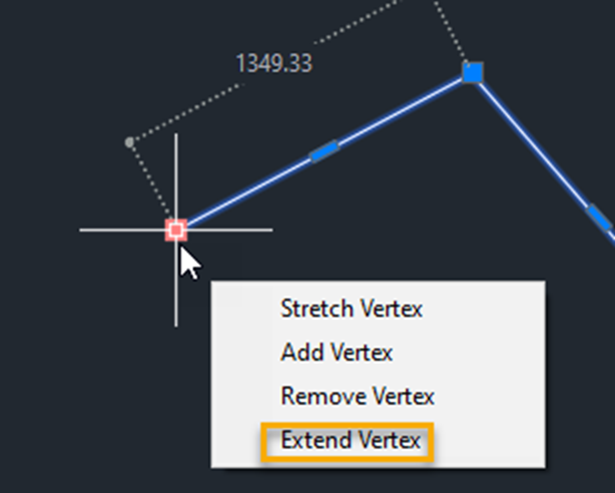
Polylines are often used to create boundary areas and similar closed lines. In plotting vertices to create the polyline, we find we have to continue in one direction because the vertices are numbered; essentially to describe the direction of the polyline.
If we add a vertex at the last vertex, this provides an additional vertex which increases the polyline length. If however, we add a vertex at the start of the polyline, we are essentially adding a new vertex in position two and not adding to the length of the polyline. This then means we can now right click on the vertex on either end and choose “Extend vertex” which will extend the polyline at that point. While this may seem like a small difference, it can actually be a great time saver in creating clean and efficient polylines.
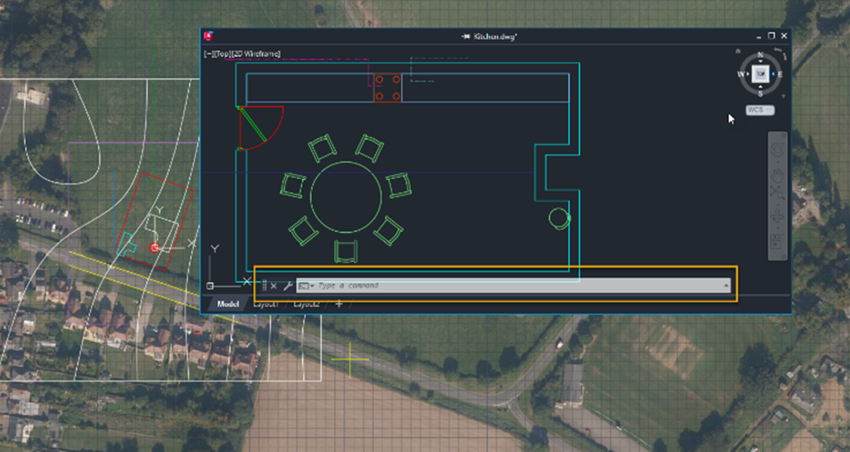
With a view to display options, we can now detach a View Tab in AutoCAD 2023 and have it floating; thus allowing it to be moved to a second monitor if required. The view now also has its own command line making it substantially easier to focus on a view and have the option to input commands in the same line of sight.
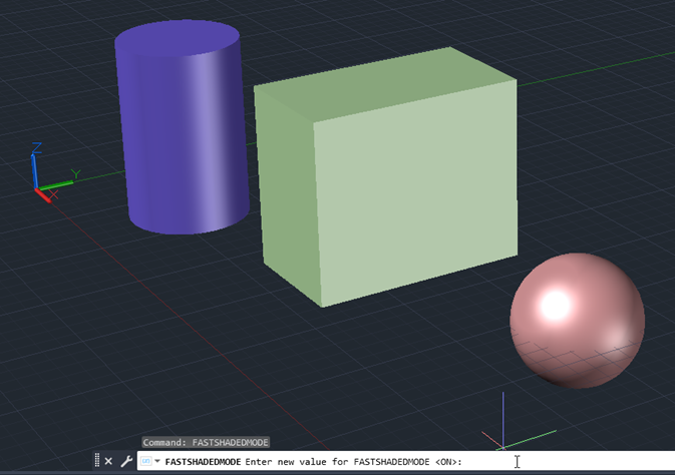
Lastly, on display in AutoCAD 2023, we see a new command called FASTSHADEMODE. This efficiently takes advantage of the newer GPU to provide a superior illuminated 3D view.
Overall, I feel that the new features & updates in AutoCAD 2023 are stable and can be used as part of everyday workflows immediately.
For further information about these new enhancements take a look at our What's New Features and updates Video or feel free to contact us.
Ten years of BIM certification experience. Learn how ISO 19650 certification has matured, its business benefits, and when organisations are ready.

Digital transformation is reshaping the built environment, but successful change requires more than new technology. Discover how Symetri's approach to BIM, digital delivery and organisational change has earned four nominations at the 2026 Building Innovation Awards.
If you're new to Bluebeam Max or simply want to learn more about what it can do, we've gathered answers to the questions we're asked most often.