
BIM Level 2 to ISO 19650: How Company Certification Has Evolved
Ten years of BIM certification experience. Learn how ISO 19650 certification has matured, its business benefits, and when organisations are ready.


Large construction and infrastructure projects rarely fit neatly onto a single drawing sheet. From highways and rail corridors to utility networks and large-scale building developments, project information is often spread across dozens of interconnected plans.
While this approach helps organise documentation, it can create challenges for the teams responsible for reviewing, coordinating, estimating, and delivering projects. Constantly switching between sheets can slow workflows, make it harder to understand the full project context, and increase the risk of overlooking important information.
Bluebeam Max Stitching addresses this challenge by enabling teams to combine multiple drawing sheets into a single continuous view. By creating a more connected way to review project information, Stitching helps professionals spend less time navigating documents and more time focusing on decision-making, coordination, and project delivery.
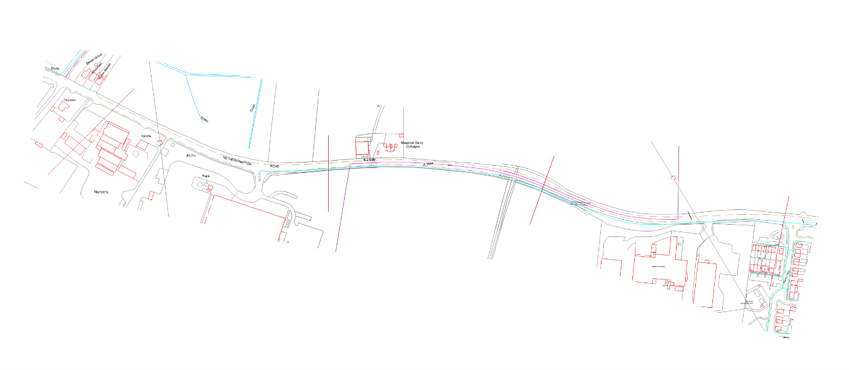
Bluebeam Max Stitching is a feature available within the Bluebeam Max platform that allows users to merge related drawing sheets into one seamless document.
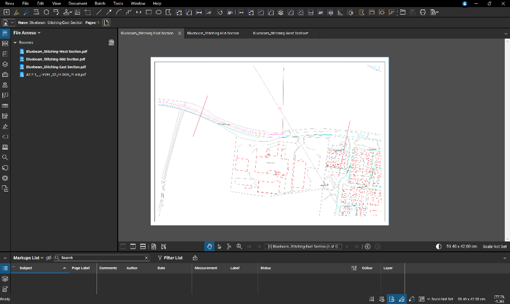 Traditionally, reviewing large projects often meant moving between multiple sheets to understand how various elements connect. In some cases, teams would manually align drawings or rely on printed plans to gain a broader view of the project.
Stitching eliminates much of this complexity by digitally connecting adjoining sheets into a single workspace. The result is a continuous drawing that provides greater visibility across the entire project while maintaining the familiar PDF workflow that Bluebeam Revu users rely on.
This capability is particularly valuable for projects that span multiple sheets, including transportation corridors, utility infrastructure, site developments, industrial facilities, and large architectural floor plans.
The workflow has been designed to be both efficient and accurate.
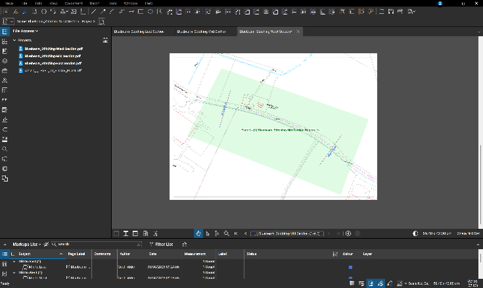 Users begin by selecting the drawing regions they want to include from each sheet. These areas can be defined using simple rectangular selections or customised shapes that focus only on relevant content.
Next, matchlines are placed to establish relationships between adjoining sheets. These reference points are typically based on existing sheet references, station numbers, coordinates, or other drawing elements already present within the design documentation.
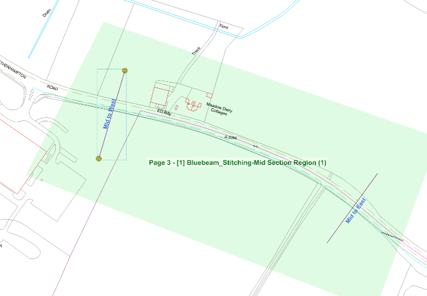 Once the matchlines have been connected, Bluebeam Revu automatically generates a stitched drawing that combines the selected regions into a single continuous view.
The finished document can then be saved, shared, marked up, measured, and reviewed just like any other PDF, allowing teams to integrate the output seamlessly into existing workflows.
One of the most significant benefits of Stitching is the ability to see the project as a whole, within a PDF.
When information is spread across multiple sheets, understanding how different areas relate to one another can be challenging. Reviewers often need to constantly jump between pages to understand design intent, verify connections, or assess project impacts.
A stitched drawing removes these interruptions by providing a continuous view of the project. This makes it easier to understand spatial relationships, review how systems connect, and identify issues that may not be obvious when drawings are reviewed individually.
For project teams managing complex infrastructure or large building developments, this broader perspective can significantly improve project understanding.
Important details are often located at sheet boundaries, where drawings transition from one page to the next.
When projects are reviewed one sheet at a time, these transition points can become blind spots that increase the likelihood of coordination issues, missed details, or design inconsistencies.
By creating a unified drawing, Stitching helps minimise these risks. Teams gain better visibility into connections between sheets, making it easier to identify clashes, verify continuity, and ensure that critical information is not overlooked during reviews.
Improved visibility can ultimately contribute to better decision-making, fewer errors, and reduced rework during later project stages.
Reviewing drawings is an essential part of project delivery, but navigating large document sets can consume significant amounts of time.
Estimators, engineers, project managers, and construction professionals often spend valuable effort moving between sheets rather than analysing the information itself.
With Stitching, teams can review large drawing sequences within a single workspace, reducing interruptions and improving workflow efficiency. Measurements and quantity take-offs can also become more streamlined, particularly on projects where assets extend across multiple pages.
The result is a more productive review process that allows teams to focus on analysis, planning, and decision-making rather than document navigation.
Clear communication is essential when multiple stakeholders are reviewing the same project information.
Whether discussing design changes, reviewing construction sequencing, or evaluating quantities, working from multiple drawing sheets can sometimes create confusion and make collaboration more difficult.
A stitched drawing provides a shared visual reference that helps everyone see the same information in the same context. This can lead to more productive discussions, faster decision-making, and improved alignment between project teams.
For organisations working across multiple offices, disciplines, or project partners, a single consolidated view can significantly simplify communication and coordination efforts.
Stitching forms part of Bluebeam's broader strategy of incorporating intelligent technologies into construction workflows.
Historically, creating a continuous view from multiple sheets often required manual alignment and significant preparation work. By automating much of this process, Bluebeam helps reduce the administrative effort associated with managing complex drawing sets.
This reflects a wider shift across the AEC industry, where technology is increasingly being used to automate repetitive tasks, improve access to information, and help teams work more efficiently.
Rather than replacing professional expertise, intelligent tools such as Stitching enable project teams to spend more time applying their knowledge and less time managing documents.
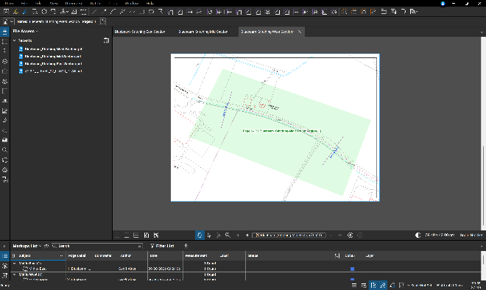 Before creating a stitched drawing, all relevant sheets must be contained within the same PDF document. If drawings exist in separate files, they will need to be combined before the stitching process can begin.
Users also have the option to include existing markups in the stitched output. When selected, these markups are flattened into the final document, creating a snapshot of the project at that specific point in time.
It is important to note that subsequent changes made to the original sheets will not automatically update the stitched version. Teams should therefore consider document control procedures when using stitched drawings within active project environments.
As projects continue to increase in size and complexity, the ability to review information efficiently is becoming increasingly important.
Construction professionals are expected to process larger volumes of documentation while maintaining accuracy, improving collaboration, and delivering projects on increasingly demanding schedules. Tools that help simplify access to project information can provide significant value throughout the project lifecycle.
By creating a continuous view from multiple sheets, Bluebeam Max Stitching helps organisations improve project understanding, streamline reviews, reduce coordination risks, and support more efficient workflows.
Successful project delivery depends on having clear visibility into the information that drives decisions.
Bluebeam Max Stitching transforms disconnected drawing sheets into a single, connected view that is easier to understand, review, and communicate. By reducing the effort required to navigate large document sets, teams can focus on identifying issues, improving coordination, and delivering better project outcomes.
For engineers, contractors, estimators, and project managers working on complex projects, Stitching offers a practical solution to a long-standing challenge, helping teams gain a clearer picture of the project while improving productivity across the entire workflow. Stitching has quite literally a broader perception of a linier project.
Choosing Symetri for your Bluebeam licenses means gaining more than just software - you gain a trusted partner in your Digital Transformation journey. We provide expert training, guided consultancy, ongoing support and a comprehensive adoption plan for companies of all sizes, to ensure Bluebeam and other technologies are seamlessly integrated into your workflows. By combining technology solutions with strategic insight, Symetri empowers your teams to work smarter, achieve more, and accelerate progress. Partner with us to unlock the full potential of your investment and move confidently toward your future goals.
Ten years of BIM certification experience. Learn how ISO 19650 certification has matured, its business benefits, and when organisations are ready.

Digital transformation is reshaping the built environment, but successful change requires more than new technology. Discover how Symetri's approach to BIM, digital delivery and organisational change has earned four nominations at the 2026 Building Innovation Awards.
If you're new to Bluebeam Max or simply want to learn more about what it can do, we've gathered answers to the questions we're asked most often.