

What’s New in Inventor 2027: A Guide to the Latest Features
Consultant Jason Kelly explores the new 2027 features in Autodesk Inventor Professional. Including updates to the content center and Autodesk Assistant



This article covers:
On the manage tab, we now have Geometry Cleanup.
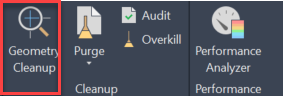
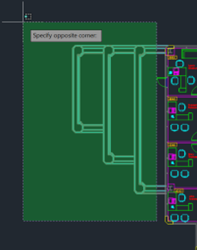
By selecting Geometry Cleanup we see a dialogue box asking us to select objects.
This allows us to define the tolerances for our selected objects.
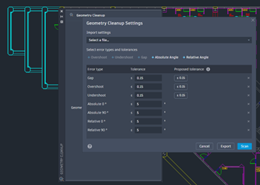
We then select scan. This will scan the objects allowing us to select possible errors.
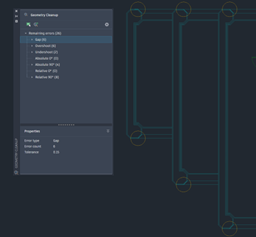
Hovering over a selected error will give us possible fixes.
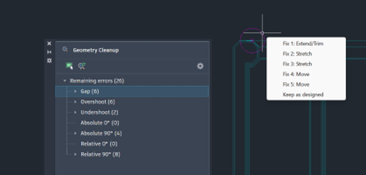
I find this tool really useful especially when editing old drawings in situations where perhaps I need to review an existing drawing and determine areas with the boundary tool and finding that it does non see a boundary because of gaps and undershoot geometry.
Considering AI, I find having an AI assistant directly in my AutoCAD drafting session a huge bonus. The AutoCAD assistant gives me the opportunity to research an issue while on the go and focusing on my drawing.
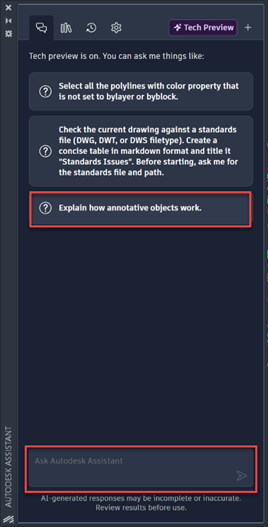
Here for example I can ask the assistant to Explain how annotative objects work or type in another question.
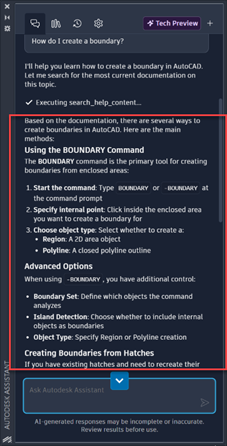
I typed in “How do I create an Boundary” and immediately I have a comprehensive answer direct in the Assistant.
As we work more and more in a collaborative manner we often edit as a team and we are not locally together.
If I open a drawing from my project on the cloud in Forma Data Management I can of course edit it a say it back to the cloud.
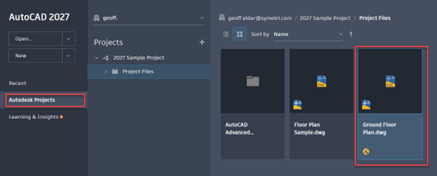
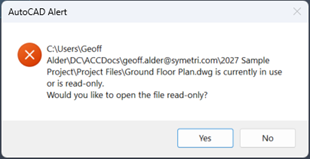
This drawing can also be opened by another person on the project team but as it is already open it will only be available to them as read only.
If they then open the drawing they are able to checkout parts of the drawing that they want to change. This will allow these parts to be “checked out”. This will then create a Trace giving the opportunity for the read only user to make some changes. These changes are not saved into the drawing but are submitted to the primary user for review.
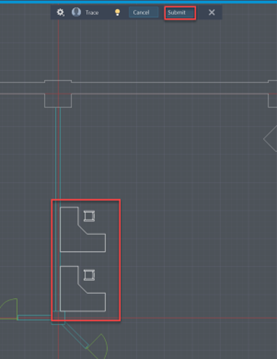
Submitting for review
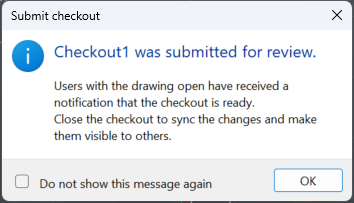
The read only drawing can now be closed.
On the primary drawing the traces pallet will display that a checkout review has been made and who made it.
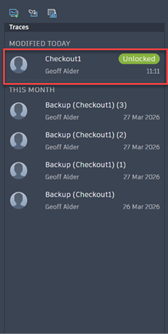
Selecting the checked out modification on the traces dialogue will display the trace and allow the user to either merge that modification or cancel it.
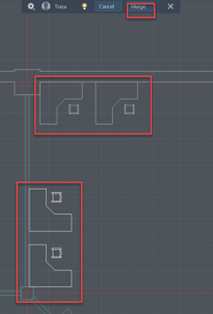
Selecting merge will then import the changes and then allowing the drawing to be updated.
In my new features video I look at these features and made a step by step workflow of this feature. I find that as a collaborative tool this is an excellent workflow for drafting together in a team and having real time updates on revisions and edits.
To support these new AutoCAD 2027 capabilities, now is a great time to take advantage of our training opportunities. Whether you’re looking to refine your core AutoCAD skills or improve collaboration using cloud‑connected workflows, we’re offering an exclusive 25% discount on any AutoCAD training course booked before 1st June.
When booking a training course on our website, please use the discount code: AUTODESK27
This is also an ideal opportunity to explore how complementary tools and structured workflows can enhance your AutoCAD environment, helping to improve drawing consistency, data management, and collaboration across project teams.
If you have any questions or would like help choosing the right training option, please contact us.
Need help deciding whether you should upgrade to the Autodesk 2027 releases or need more help understanding how they can fit into your workflows? Get in touch below!
You can also call us on 0345 370 1444 or email info@symetri.co.uk
Consultant Jason Kelly explores the new 2027 features in Autodesk Inventor Professional. Including updates to the content center and Autodesk Assistant
In construction, the gap between the construction site and the office has always been a challenge. But by combining Bluebeam’s powerful PDF markup tools with GoCanvas’s mobile forms, companies can finally achieve seamless documentation that flows effortlessly from site to office.
Collaboration is the backbone of modern construction projects. Whether you’re reviewing drawings, marking up RFIs, or coordinating across multiple stakeholders, having the right platform makes all the difference. This blog reviews Bluebeam Studio (cloud-based) and Bluebeam Studio On-premise. While both enable teams to work together on PDFs in real time, the choice between them depends on your project requirements, IT policies, and security needs.