Bluebeam Max FAQs | Your Guide to AI-Powered Construction Workflows
If you're new to Bluebeam Max or simply want to learn more about what it can do, we've gathered answers to the questions we're asked most often.


New updates in SketchUp Pro's 3D Warehouse

You might have noticed some improvements if you’ve uploaded your products to SketchUp Pro's 3D Warehouse recently. You can now add and customise the attributes of your product models including dimensions, classifications, and links back to resources on your website.
But, that’s not all. This summer, over 5 and a half million signed-in users are now using 3D Warehouse for their designs! As a result, Trimble have made some cool improvements to the Warehouse to better suit product manufacturers.
There is now a designated place for manufacturers to showcase all their products that is like a digital showroom where people from all over the globe can explore, download, and spec.
So, lets take a look at what’s changed:
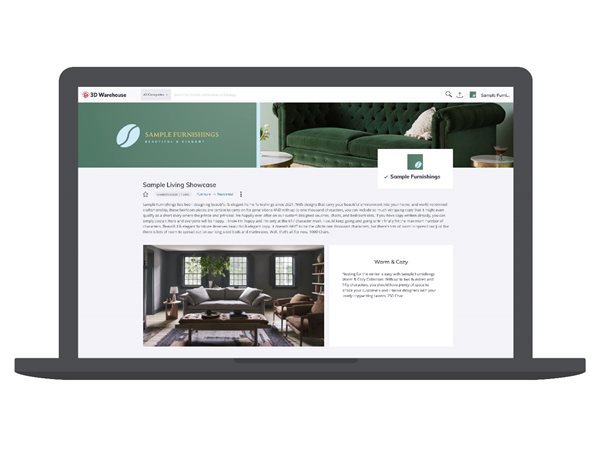
To most a catalogue is a publication with a list of products and resources laid out in printed format. Well, our brand-new catalogues have a very similar structure, except they’re all digital. Product manufacturers now have a sleek, specific place where they can talk about their brand, showcase product lines, and, of course, feature their products. This means you’ll have a one-stop-shop to keep your models organised.
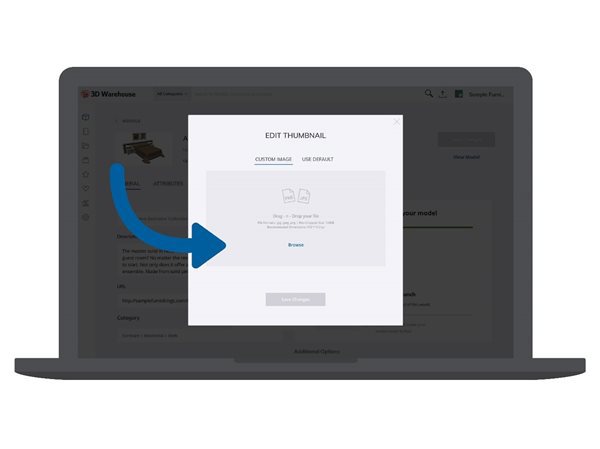
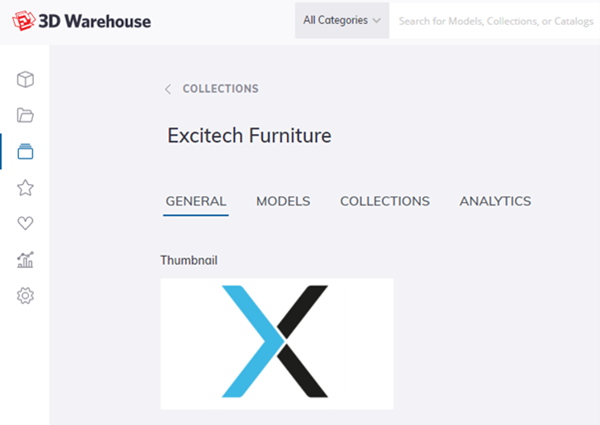
There are times when a SketchUp Pro thumbnail doesn’t quite capture the elegant details of your products. This feature has been around for a little while now, but not everyone is aware that you can add your own custom images as model thumbnails. Just choose a product beauty shot or rendering, go to the product page and edit the product. You’ll see the current thumbnail. Click on it and upload the product image you'd like.
Note: This blog was created by Excitech prior to becoming Symetri in January 2021, following its acquisition by Addnode Group. All Excitech products, services and solutions mentioned in this blog are available through Symetri.
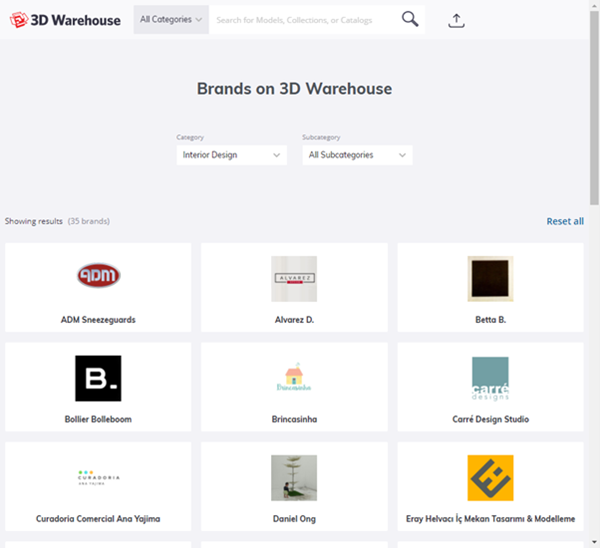
In keeping with the theme, there are a couple of updates that will help get your brand (and products) in front of the right users. SketchUp Pro is introducing a new Brand Page to help you navigate the 1,900 brands on 3D Warehouse. Users can browse to find the brand they’re looking for, search and filter brands by category and subcategory, and more options are still to come!
Find out more about Sketch Up Pro here. If you’re a product manufacturer interested in showcasing your products on 3D Warehouse, get in touch with us.
If you're new to Bluebeam Max or simply want to learn more about what it can do, we've gathered answers to the questions we're asked most often.

Learn how PLM ERP integration creates a digital thread, unifying engineering and manufacturing. Explore PLM vs ERP and how connected systems improve collaboration.

Learn how to protect your organisation from QR code phishing, adopt passkeys securely, and manage AI note-takers with the latest IT security advice from Symetri.