What’s New in Inventor 2027: A Guide to the Latest Features
Consultant Jason Kelly explores the new 2027 features in Autodesk Inventor Professional. Including updates to the content center and Autodesk Assistant


The latest updates to Factory Design 2026 bring powerful improvements to connector class creation, workflow efficiency, and overall performance. From a brand-new Connector Class dialogue to enhanced 4K compatibility and stability upgrades, these changes are designed to make your design process faster, smoother, and more intuitive.

Connector Class Dialogue
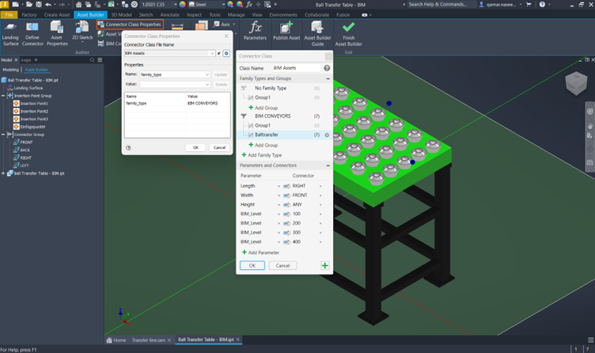
A new Connector Class dialogue has been developed for creating and editing asset connector classes.
The Connector Class dialogue has been designed to streamline your workflow and make the creation of connector classes easier than ever before. With this new dialogue, you can now create, edit, and manage properties directly through a user-friendly interface. This eliminates the need to manually handle XML files.
This dialogue can be accessed from the Connector Class Properties dialogue:
1. On the Asset Builder tab, in the Author panel, select Connector Class Properties  .
.
2. In the Connector Class Properties dialogue, click Connector Class
Benefits
LAYOUTDATA Manual Update
This command has now been added to manually update the DWG and NWF file with any existing changes from the LAYOUTDATA file.
This is now available in the AutoCAD and Navisworks Cross-product workflows Panels.
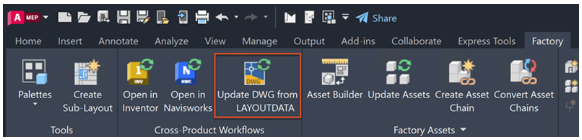
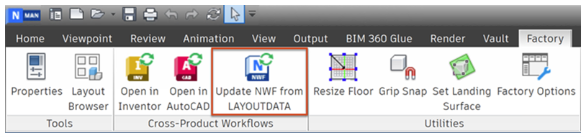
Clicking it will update any changes you have made to the LAYOUTDATA file in another application, such as Inventor, and will be updated in the DWG or NWF file.
Enhancing 4K Monitor Compatibility
4K monitor experience has been significantly improved.
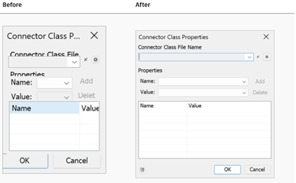
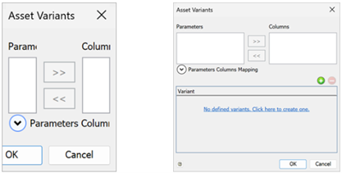
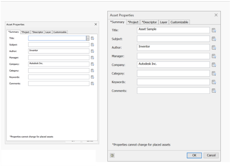
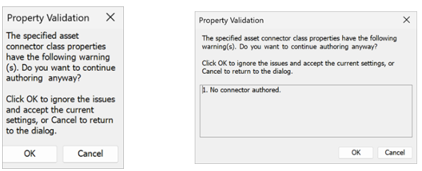
Dialogue boxes are now correctly scaled, ensuring they are appropriately sized for better visibility. The content within dialogues is now properly positioned, eliminating misalignment issues. Additionally, all sections, including buttons, are fully visible and accessible, preventing any elements from being cut off. These enhancements ensure a more seamless and user-friendly experience on high-resolution displays.
Performance Enhancements
This release focuses on performance enhancements, continues with increased performance and stability in these areas:
· Synchronisation Enhanced
· API Functionality Restored
· DWG Format Stability
· LAYOUTDATA File Handling
· Factory Layout Stability
· Referenced Drawing Stability
· Long Name Folder Stability
· Asset Placement Stability
To discuss these and more FDU topics, contact us via our form.
Consultant Jason Kelly explores the new 2027 features in Autodesk Inventor Professional. Including updates to the content center and Autodesk Assistant
Vault 2027 release includes improved property handling, stronger PLM connectivity, and the introduction of the AI‑powered assistant.
AutoCAD 2027 introduces new tools to improve collaboration, drawing accuracy, and productivity, including Autodesk Forma data management integration, Geometry Cleanup, and the AI‑powered Autodesk Assistant. In this guide, we highlight the key AutoCAD 2027 updates and explain how they support more efficient, connected workflows for design teams.