
How Company Certification Has Evolved
Ten years of BIM certification experience. Learn how ISO 19650 certification has matured, its business benefits, and when organisations are ready.


Artificial intelligence is reshaping the way Architects, Designers, and Visualisation professionals bring ideas to life. Chaos, a global leader in rendering and visualisation technology, is at the forefront of this transformation.
By integrating AI into its ecosystem of tools - Veras, Enscape, V-Ray, Corona, and Vantage - Chaos is streamlining workflows, accelerating creativity, and redefining what’s possible in design visualisation.
Here are 5 ways Chaos solutions are supporting AI technology:
Early-stage design is often about exploring possibilities. Chaos Veras uses generative AI to instantly transform sketches and CAD/BIM models into polished visual concepts.

Chaos Enscape integrates directly into CAD/BIM software, offering real-time rendering and VR walkthroughs. AI is enhancing this workflow by:

Chaos V-Ray has long been the industry standard for photorealistic rendering, and AI is making it even smarter:

Chaos Corona is known for its accessibility, and AI is reinforcing that strength:
Chaos Vantage allows users to explore massive V-Ray and Corona scenes in real time with full ray tracing. AI is pushing this further by:
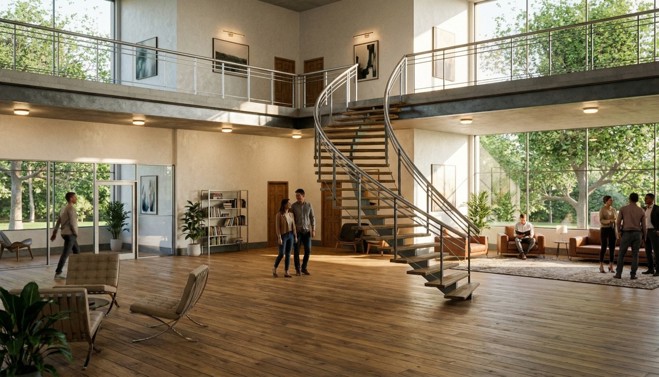
What makes Chaos unique is not just individual tools, but how they connect:
AI is the thread weaving these tools together, ensuring that every stage of the design journey is faster, smarter, and more impactful.
Chaos is leading the AI revolution in design visualisation by embedding intelligence into every stage of the creative process. From concept generation to cinematic storytelling, its tools empower professionals to work more efficiently, present more convincingly, and push the boundaries of what design visualisation can achieve.
This blog is the last in a four part series:

Ten years of BIM certification experience. Learn how ISO 19650 certification has matured, its business benefits, and when organisations are ready.

Digital transformation is reshaping the built environment, but successful change requires more than new technology. Discover how Symetri's approach to BIM, digital delivery and organisational change has earned four nominations at the 2026 Building Innovation Awards.
If you're new to Bluebeam Max or simply want to learn more about what it can do, we've gathered answers to the questions we're asked most often.