What’s New in Inventor 2027: A Guide to the Latest Features
Consultant Jason Kelly explores the new 2027 features in Autodesk Inventor Professional. Including updates to the content center and Autodesk Assistant


Each year Autodesk releases a new and improved version of Revit, with many new features and updates. In this blog post, our Senior Applications Specialist Alan Johnson will focus on the new features specifically for structures, covering:

In this Revit 2023 release, again, the structural tools continue to build on the core functionality of reinforced concrete modelling and steel fabrication modelling, but also, we have new analytical automation. Let's start by looking at some of the key features and tools relating to concrete and steel modelling.
Visualisation of Rebar in 3D View
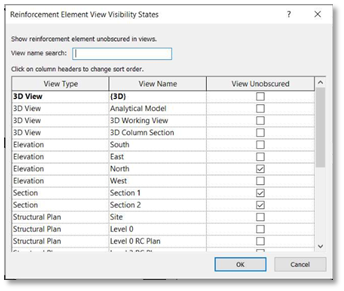
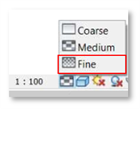
The method for making rebar visible in a 3D view has been simplified. With the rebar selected, in the view visibility states dialogue box, you only have the view unobscured option to tick now. The rebar will automatically view as a solid when your view is in the Fine Level of Detail.
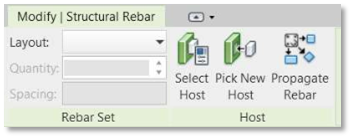
One of the best new features in this release is the Propagate Rebar; with rebar selected in a host object, the propagate rebar tool will appear. You can then select individual or multiple ‘like’ hosts to copy the rebar.
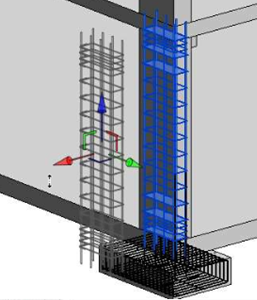
A feature that has been available for some time now works with rebar; select the rebar in a host object and use the standard displace elements tool to reposition the rebar in your view as desired. You can add path lines and reset the displaced bars.
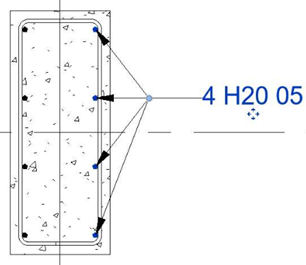
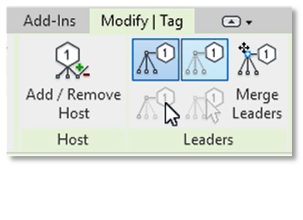
You can use the standard tag by category tool to tag a rebar set, however with Revit 2023, you can now add additional bars from that set to the tag. You can also control the leader lines with multi or single leaders.
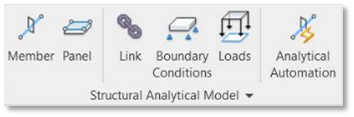
In Revit 2023, we now have Analytical Driven Modelling; this differs from the derived analytical model as contextual, analytical elements are not created automatically when the physical model is created. We now have new feature capabilities such as Analytical Member, Analytical Panel, Analytical Node, Analytical Openings.
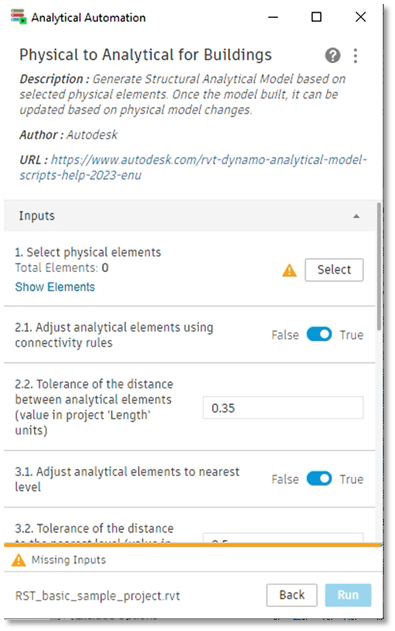
We also have a new Automation feature to generate a structural analytical model based on selected physical elements.
With a new Connection Automation feature, you can automatically apply popular typical steel connections and create your own libraries by expanding/customising the predefined libraries. The customisable automation rules for the steel connections are run by the Dynamo player.
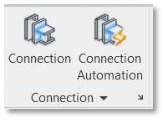
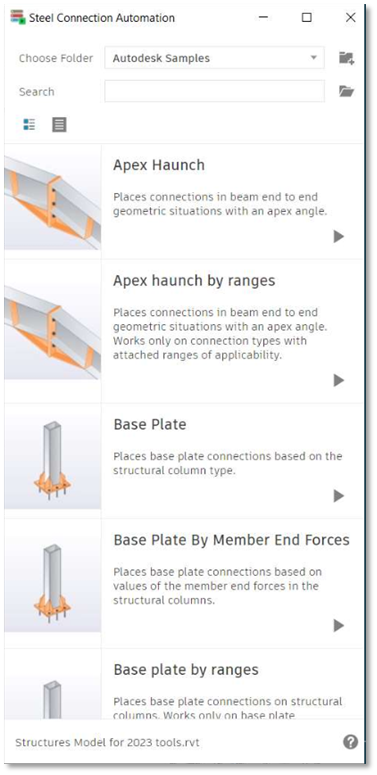
To learn more about the new features of Revit 2023,
If you are interested in learning more about the new features of Revit 2023, please visit our product page or contact us.
By completing the form below, or via email info@symetri.co.uk or telephone 0345 370 1444.
Consultant Jason Kelly explores the new 2027 features in Autodesk Inventor Professional. Including updates to the content center and Autodesk Assistant
Vault 2027 release includes improved property handling, stronger PLM connectivity, and the introduction of the AI‑powered assistant.
AutoCAD 2027 introduces new tools to improve collaboration, drawing accuracy, and productivity, including Autodesk Forma data management integration, Geometry Cleanup, and the AI‑powered Autodesk Assistant. In this guide, we highlight the key AutoCAD 2027 updates and explain how they support more efficient, connected workflows for design teams.